| Mathcad | |
|---|---|
 | |
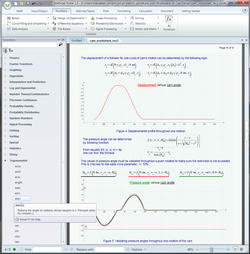 Mathcad Prime 1.0 | |
| Developers | Mathsoft, PTC |
| Initial release | 1986 (1986) |
| Stable release | Prime 12 (12.0.0.0)
/ April 8, 2026 (2026-04-08) |
| Operating system | Microsoft Windows |
| Available in | 10 languages1 |
| Type | Computer algebra system |
| License | Proprietary |
| Website | www |
Mathcad is computer software for the verification, validation, documentation and re-use of mathematical calculations in engineering and science, notably mechanical, chemical, electrical, and civil engineering.2 Released in 1986 for MS-DOS, it introduced live editing (WYSIWYG) of typeset mathematical notation in an interactive notebook, combined with automatic computations. It was originally developed by Mathsoft, and since 2006 has been a product of Parametric Technology Corporation.
History
Mathcad was conceived and developed by Allen Razdow and Josh Bernoff at Mathsoft founded by David Blohm and Razdow. It was released in 1986. It was the first system to support WYSIWYG editing and recalculation of mathematical calculations mixed with text.3 It was also the first to check the consistency of engineering units through the full calculation. Other equation solving systems existed at the time, but did not provide a notebook interface: Software Arts' TK Solver was released in 1982, and Borland's Eureka: The Solver was released in 1987.4
Mathcad was acquired by Parametric Technology Corporation (PTC) in April 2006.5
Overview
Mathcad's central interface is an interactive notebook in which equations and expressions are created and manipulated in the same graphical format in which they are presented (WYSIWYG). This approach was adopted by systems such as Mathematica, Maple, Macsyma, MATLAB, and Jupyter.
Mathcad today includes some of the capabilities of a computer algebra system, but remains oriented towards ease of use and documentation of numerical engineering applications.
Mathcad is part of a broader product development system developed by PTC, addressing analytical steps in systems engineering. It integrates with PTC's Creo Elements/Pro, Windchill, and Creo Elements/View. Its live feature-level integration with Creo Elements/Pro enables Mathcad analytical models to be directly used in driving CAD geometry, and its structural awareness within Windchill allows live calculations to be re-used and re-applied toward multiple design models.
Summary of capabilities
The Mathcad interface allows users to combine a variety of different elements (mathematics, descriptive text, and supporting imagery) into a worksheet, in which dependent calculations are dynamically recalculated as inputs change. This allows for simple manipulation of input variables, assumptions, and expressions. Mathcad's functionality includes:
- Numerous numeric functions for statistics, data analysis, image processing, and signal processing;
- Ubiquitous dimensionality checking and simplification;
- Solution of systems of equations, such as ODEs and PDEs using several methods;
- Root finding for polynomials and other functions;
- Symbolic manipulation of mathematical expressions;
- Parametric 2D and 3D plotting and discrete data plotting;
- Leverage standard, readable mathematical expressions within embedded program constructs;
- Vector and matrix operations, including eigenvalues and eigenvectors;
- Curve fitting and regression analysis;
- Statistical and design of experiments functions and plot types, and evaluation of probability distributions;
- Import from and export to other applications and file types, such as Microsoft Excel and MathML;6
- Cross references to other Mathcad worksheets;
- Integration with other engineering applications, such as CAD, FEM, BIM, and Simulation tools, to aid in product design, like Autocad, Ansys, Revit.
Although Mathcad is mostly oriented to non-programmers, it is also used in more complex projects to visualize results of mathematical modeling by using distributed computing and coupling with programs written using more traditional languages such as C++.
Current releases
As of 2026, the latest release from PTC is Mathcad Prime 12.0.0.0. This release is a freemium variant: if the software is not activated after a Mathcad Prime 30-day trial, it is possible to continue using PTC Mathcad Express for an unlimited time as "PTC Mathcad Express Free-for-Life Engineering Calculations Software". This freemium pilot is a new marketing approach for PTC. Review and markup of engineering notes can now be done directly by team members without them all requiring a full Mathcad Prime license.7
The last release of the traditional (non-Prime) product line, Mathcad 15.0, came out in June 2010 and shares the same worksheet file structure as Mathcad 14.0. The last service release, Mathcad 15.0 M050, which added support for Windows 10, was released in 2017. Mathcad 15.0 and earlier releases are no longer actively developed, sold or supported anymore.8 PTC recommends users to migrate their Mathcad 15.0 or prior worksheets to the latest supported Prime releases using the XMCD to MCD converter bundled as part of the Prime subscription.9
Computer operating system platforms
Mathcad only runs on Microsoft Windows. Mathcad Prime 12.0 requires a 64-bit version of Windows 11 version 23H2 or above. Until 1998, Mathcad also supported Mac OS.10 Mathcad Prime 6 is the last version to officially support Windows 7, Windows 8 and Windows 8.1. Mathcad 15 M045 and Mathcad Prime 3.1 are the last releases to support Windows XP and Windows Vista.
Support
Starting in 2011 (Mathcad 15.0) the first year of maintenance and support has been included in the purchase or upgrade price.
Release history
| Name | Version | Release date | Notes |
|---|---|---|---|
| Mathcad 0.3 | 0.3 | Beta on 5.25-inch floppy diskette | |
| Mathcad 2.5.2 | 2.5.2 | 1989 | Last MS-DOS version |
| Mathcad 3.1 | 3.1 | 1992 | Windows version with notebook interface |
| Mathcad 4.0 | 4.0 | Windows version | |
| Mathcad 5.0 | 5.0 | Added Maple based CAS features | |
| Mathcad 5.5 | 5.5 | Windows version | |
| Mathcad 6.011 | 6.0 | 1995 | Last Windows 3.1 version |
| Mathcad 712 | 7.0 | 1997 | |
| Mathcad 813 | |||
| Mathcad 200014 | |||
| Mathcad 2001i15 | |||
| Mathcad 1116 | |||
| Mathcad 1217 | |||
| Mathcad 13.018 | 13.0 | September 15, 200519 | |
| Mathcad 13.118 | 13.1 | ||
| Mathcad 14.018 | 14.0 | February 12, 200719 | |
| Mathcad 15.020 | 15.0 F000 | June 25, 201019 | |
| Mathcad 15.0 M01020 | 15.0 M010 | June 29, 201119 | |
| Mathcad 15.0 M04019 | 15.0 M040 | August 2015 | |
| Mathcad 15.0 M04521 | 15.0 M045 | November 201521 | Last version to officially support Windows XP and Vista |
| Mathcad 15.0 M05022 | 15.0 M050 | December 2017 | Last traditional (non-Prime) release |
| Mathcad Prime 1.023 | 1.0.0.0 | January 10, 201119 | |
| Mathcad Prime 2.0 | 2.0.0.0 | February 29, 201219 | |
| Mathcad Prime 3.0 | 3.0.0.0 | October 2, 201319 | |
| Mathcad Prime 3.1 | 3.1.0.0 | March 2, 201519 | Last version to officially support Windows XP and Vista |
| Mathcad Prime 4 | 4.0.0.0 | March 6, 201719 | |
| Mathcad Prime 5 | 5.0.0.0 | August 14, 201824 | |
| Mathcad Prime 6 | 6.0.0.0 | October 1, 201925 | Last version to officially support Windows 7, 8 and 8.1 |
| Mathcad Prime 7 | 7.0.0.0 | February 27, 202126 | |
| Mathcad Prime 8 | 8.0.0.0 | March 15, 202227 | |
| Mathcad Prime 9 | 9.0.0.0 | March 14, 202328 | |
| Mathcad Prime 10 | 10.0.0 | April 23, 202429 | |
| Mathcad Prime 11 | 11.0.0 | April 2, 202530 | |
| Mathcad Prime 12 | 12.0.0 | April 8, 202631 |
Screenshots of various Mathcad releases
-
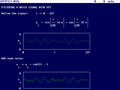 Mathcad 2.52 (1989)
 -
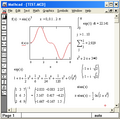 Mathcad 3.1 (1992)
 -
 Mathcad PLUS 6.0 (1995)
 -
 Mathcad 13.0
 -
 Mathcad 15.0
 -
 Mathcad Prime 1.0
 -
 Mathcad Prime 1.0 working session
See also
See also
- Comparison of computer algebra systems
- TK Solver
- PTC:Creo
- PTC:Windchill
- SMath Studio, a free for personal use program similar to Mathcad
References
References
- "Mathcad Language Support - PTC.com". Retrieved 2020-11-07.
- "PTC Mathcad - PTC". Retrieved 2020-11-07.
- "Now you can calculate on your PC with the same freedom you have on paper" (ad), PC Magazine, September 15, 1987, p. 42
- Ronald Shone, "Software for Solving Equations: Eureka: The Solver, TK Solver Plus and Mathcad", Journal of Economic Surveys 3:1:83–95 doi:10.1111/j.1467-6419.1989.tb00059.x (March 1989)
- PTC buys Mathsoft for $63m : April 2006 Archived 2007-09-28 at the Wayback Machine
- John McSweeney (September 16, 2011). "Website Design: Mathcad and MathML". Archived from the original on 2011-09-16. Retrieved 2011-09-09.
- ENGINEERING.com. "Psst... PTC is Giving Away Mathcad Express. Pass it on. > ENGINEERING.com". Archived from the original on 2013-10-12.
- "Official PTC Mathcad 15 and Prime 1–6 End-of-Sale Announcement | Community". community.ptc.com. 2021-02-25. Retrieved 2026-05-15.
- "Moving from Legacy Mathcad to Mathcad Prime | PTC". Archived from the original on 2026-03-09. Retrieved 2026-05-15.
- "MathSoft Mathcad PLUS 6". Versiontracker. Archived from the original on 2009-06-11. Retrieved 2009-10-23.
- "Mathcad Features Comparison Chart". Archived from the original on 1996-11-10. Retrieved 2016-06-12.
- "Mathcad PLUS 6.0 and Mathcad 7 Professional Comparison". Archived from the original on 1998-02-20. Retrieved 2016-06-12.
- "Mathcad Features: Version by Version Comparison". Archived from the original on 2000-09-29. Retrieved 2016-06-12.
- "Mathcad Version Comparison Chart". Archived from the original on 1999-11-28. Retrieved 2016-06-12.
- "What's New in Mathcad 2001i". Archived from the original on 2001-02-15. Retrieved 2016-06-11.
- "What's New in Mathcad 11". Archived from the original on 2002-11-11. Retrieved 2016-06-11.
- "Mathcad 12: part of every solution" (PDF). Archived from the original (PDF) on 2004-09-16. Retrieved 2016-06-12.
- "Release Notes for Mathcad 14". Archived from the original on 2017-05-10. Retrieved 2016-06-12.
- "When to release Mathcad 15 M040?". 29 April 2015. Archived from the original on 2016-06-16. Retrieved 2016-06-12.
- "Latest Release of MC15 (M0??)". 12 September 2011. Archived from the original on 2016-06-16. Retrieved 2016-06-12.
- "Mathcad 15 M045 release notes ("Read This First" guide)". 12 December 2015. Archived from the original on 2016-06-16. Retrieved 2016-06-12.
- "New service release of Mathcad 15 M050". community.ptc.com. 2017-12-15. Retrieved 2020-06-24.
- "Choose the Mathcad® product that's right for you" (PDF). Archived from the original (PDF) on 2011-08-10. Retrieved 2016-06-12.
- "PTC Mathcad Prime 5.0 Introduces New 2D Plotting Capabilities | PTC". Retrieved 2018-08-28.
- "PTC Mathcad Prime 6.0 Brings Engineering Calculations to Life". www.ptc.com. Retrieved 2019-11-01.
- "What's in Mathcad Prime 7?". Mathcad. PTC. 27 February 2021.
- "Mathcad Prime 10". PTC Community. PTC. 29 January 2024.
- "What's New in PTC Mathcad Prime 9?". PTC. 17 February 2023.
- "What's New in PTC Mathcad Prime 10". www.mathcad.com. Retrieved 2024-05-25.
- "What's new in PTC Mathcad Prime 11". www.mathcad.com. Retrieved 2025-05-01.
- Newman, David (2026-04-22). "Amp Up Your Calculations with PTC Mathcad Prime 12". PTC. Retrieved 2026-05-07.
{{cite web}}: CS1 maint: url-status (link)