| Tab-separated values | |
|---|---|
 | |
| Filename extension | .tsv, .tab1 |
| Internet media type |
text/tab-separated-values |
| Uniform Type Identifier (UTI) | public.tab-separated-values-text2 |
| UTI conformation | public.delimited-values-text2 |
| Developed by | University of Minnesota Internet Gopher Team Internet Assigned Numbers Authority |
| Initial release | c. June 1993 (1993-06) |
| Type of format | Delimiter-separated values format |
| Container for | database information organized as field separated lists |
| Standard | IANA MIME type |
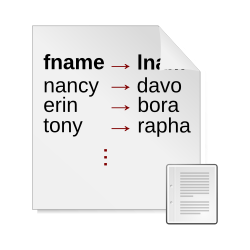
Tab-separated values (TSV) is a plain text data format for storing tabular data where the values of a record are separated by a tab character and each record is a line (i.e. newline separated).3 The TSV format is a form of delimiter-separated values (DSV) and is similar to the commonly-used comma-separated values (CSV) format.
TSV is a relatively simple format and is widely supported for data exchange by software that generally deals with tabular data. For example, a TSV file might be used to transfer information from a database to a spreadsheet.
Example
The following are records of the Iris flower data set in TSV format. Since a tab is not a printable character (is invisible), an arrow (→) is used for demonstration here to denote a tab character.
Sepal length→Sepal width→Petal length→Petal width→Species
5.1→3.5→1.4→0.2→I. setosa
4.9→3.0→1.4→0.2→I. setosa
4.7→3.2→1.3→0.2→I. setosa
4.6→3.1→1.5→0.2→I. setosa
5.0→3.6→1.4→0.2→I. setosa
The following is the same data rendered as a table.
| Sepal length | Sepal width | Petal length | Petal width | Species |
|---|---|---|---|---|
| 5.1 | 3.5 | 1.4 | 0.2 | I. setosa |
| 4.9 | 3.0 | 1.4 | 0.2 | I. setosa |
| 4.7 | 3.2 | 1.3 | 0.2 | I. setosa |
| 4.6 | 3.1 | 1.5 | 0.2 | I. setosa |
| 5.0 | 3.6 | 1.4 | 0.2 | I. setosa |
If a text editor that supports Dynamic tab stops (aka. "elastic tabstops") is used to view the contents of a TSV file, the layout will look like the table rendering just without cell borders and header row formatting (though the latter can be achieved using Unicode characters).
Known problems in comparison to CSV
- Unlike for CSV, there is no widely agreed-upon specification for TSV which can lead to inconsistent behaviors when dealing with backslashes or quotation marks or the disallowed tabs and line breaks. For TSV there is only a mime-type assignment. Escaping rules for line breaks and tabs are inconsistent among implementations. Some use backslash (\) notation from C, some the quoting rules from CSV, some simply can not store tabs and line breaks.
- If backslash escaping is used backslashes also need to be escaped and line breaks in fields could become "\r\n" on Windows which may add another layer of line break handling
- Non-technical users, who are editing TSV with a text editor, sometimes mix up tabs and spaces, corrupting the data. Empty fields may also be difficult to count in editors where tabs are merely shown as whitespace.
- Despite lower complexity, fewer applications implement it.
- The file size increase of quoting both commas and quotes in CSV is usually insignificant on modern systems.
- Terminal emulators often render tabs as multiple spaces which prevents copying a tab correctly, thus preventing copying TSV formatted data directly from a selection on the terminal without combining all fields into one.
Delimiter collision
As a form of delimiter collision, if a field (record value) contained a tab character, the data format would become meaningless since tabs were no longer only used between fields. To prevent this situation, the IANA media type standard for TSV simply disallows a tab within a field. Similarly, a value cannot contain a line terminator.4 To represent a value with an embedded tab or line terminator character, a commonly-used mechanism is to replace the character with the corresponding escape sequence as shown in the following table.56
| sequence | represents |
|---|---|
\t
|
tab |
\n
|
line feed |
\r
|
carriage return |
\\
|
backslash |
Another commonly-used convention, borrowed from CSV (RFC 4180), is to enclose a value that contains a tab or line terminator character in quotes.78 Among others it's used by LibreOffice Calc where the backslash (\) notation is not implemented and TSV is simply treated as a variant of CSV with tab delimiters instead of comma.
Line terminator
As for any text file, the character(s) used for line terminator varies. On a Microsoft-based system, normally it's a carriage return (CR) and line feed (LF) sequence. On a Unix-based system, it's just LF. The de-facto specification9 uses the term "EOL" which is an ambiguous term like line terminator and newline. Software often is designed to either handle the line terminator for the platform on which it runs or to handle either terminator.
References
References
- U of Edin. Research Data Support Team. "Choose the best file formats". University of Edinburgh. § Formats we recommend. Retrieved 23 May 2023.
- "tabSeparatedText". Apple Developer Documentation: Uniform Type Identifiers. Apple Inc. Retrieved 23 May 2023.
- "How To Use Tab Separated Value (TSV) files". International Monetary Fund. Retrieved 1 February 2023.
- Lindner 1993.
- Dusek, Jason (6 May 2014). "Linear TSV: simple, line-oriented, tabular data". Data Protocols - Open Knowledge Foundation (v1.0β ed.). Archived from the original on 18 March 2023. Retrieved 6 May 2020.
- Dolan, Stephen (1 November 2018). "jq Manual". jq. Retrieved 23 May 2023.
- Miller, Rob (22 September 2015). Text Processing with Ruby: Extract Value from the Data That Surrounds You. Pragmatic Bookshelf. p. 94. ISBN 978-1-68050-492-7.
- Giuseppini, Gabriele; Burnett, Mark (10 February 2005). Microsoft Log Parser Toolkit: A Complete Toolkit for Microsoft's Undocumented Log Analysis Tool. Elsevier. p. 311. ISBN 978-0-08-048939-1.
- "IANA: text/tab-separated-values".
Sources
- "TSV — Tab-Separated Values" (11 February 2021 ed.). Library of Congress. fdd000533. Retrieved 23 May 2023.
- Lindner, Paul (June 1993). "text/tab-separated-values" [Definition of tab-separated-values (tsv)]. Assigned Media Types Registry. IANA. Minnesota: University of Minnesota Internet Gopher Team. Retrieved 23 May 2023.
- "How To Use Tab Separated Value (TSV) Files". Archived from the original on 12 January 2007. Retrieved 5 March 2017.
Further reading
Further reading
- Jukka, Korpela (1 September 2000). "Tab Separated Values (TSV): a format for tabular data exchange" (12 February 2005 ed.). Retrieved 23 May 2023.
- Welinder, Morten (19 December 2012). "§14.2.3 — Text File Formats". The Gnumeric Manual (v1.12 ed.). Archived from the original on 30 November 2020. Retrieved 23 May 2023.